Deep OS Customization
for High-Reliability Devices
We help device manufacturers dramatically reduce blue screens, freezes and update-induced crashes through deep OS customization, power-loss protection and one-key recovery.
Up to 80% fewer software-related failures.
Common OS-level failures that cost device manufacturers time, money, and reputation
Every Windows-driven industrial device can face the same handful of issues. We address them at the image level to keep deployments stable and field failures to a minimum.
Blue Screens & Sudden Freezes
Unexpected Blue Screen of Death (BSOD) crashes and system lock-ups during operation cause downtime and data loss. Each incident disrupts production and erodes end-user confidence.
Update-Induced Crashes
Forced OS updates introduce incompatibilities, boot hangs, and driver conflicts. A routine update can brick a deployed device fleet overnight.
"Please Wait While Windows Updates"
End users face update screens before critical meetings or operations. Unpredictable update timing makes devices unreliable in production environments.
Disk Corruption & Data Loss
Power loss or improper shutdown corrupts the file system, leaving devices unbootable. Field recovery is costly and time-consuming.
Unauthorized System Changes
End users or malware modify system files, registry keys, or configurations. Uncontrolled changes lead to instability and security exposure.
Expensive On-Site Service
Software failures require technician dispatch for reimaging or repair. Each site visit adds cost and extends device downtime.
Six engineering-grade features built into every Swayline deployment
Deep OS Customization
Windows & Linux trimmed and tuned to your hardware, your application and your workflow.
Power-Loss Protection
Unplug at any moment. The device is engineered to boot straight back into the system, with no repair screens and no manual recovery.
Disk Write Protection
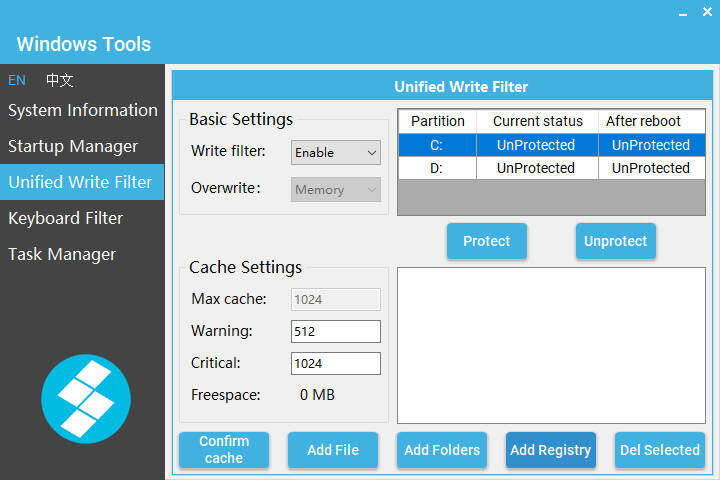
Only whitelisted folders and partitions can be written; critical files are protected from accidental damage.
Updates Removed
No forced updates, no "please wait while Windows updates" before a meeting. This removes one of the biggest sources of update-related instability.
Performance & Footprint
Up to 20% performance gain. Windows 10 can run your business in as little as 5 GB of disk.
Security Hardening
Typically 0 high / medium / low vulnerabilities on Nessus scans; official scan reports available on request.
A Built-In Admin Console That Makes the Device Truly Yours
Full control over boot behavior, write access, and system management, with no third-party tools required.
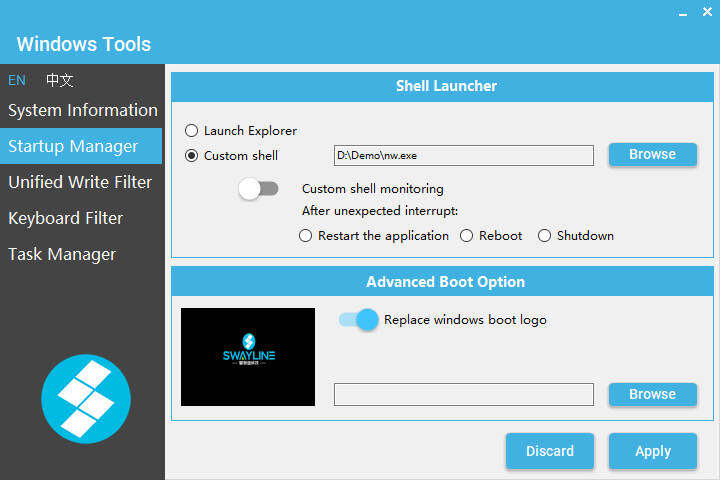
- Custom Boot & Shutdown LogoReplace Windows boot and shutdown screens with your brand image.
- Kiosk ModeDevice starts straight into your application; the desktop and explorer.exe are suppressed.
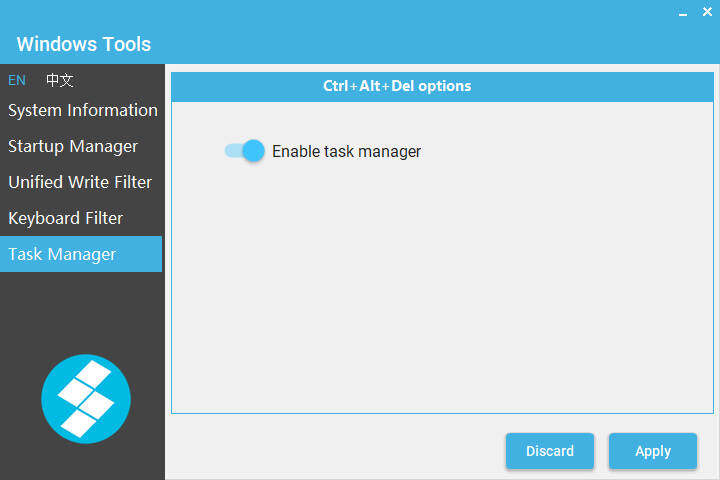
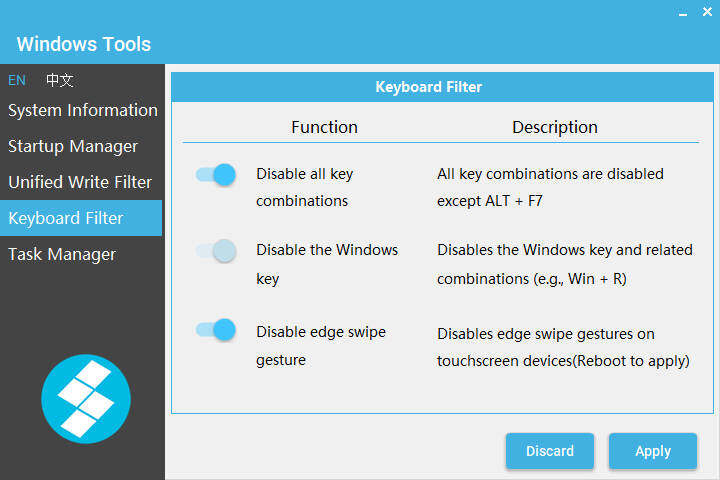
- Granular Write ControlPer-folder write protection or exemption, hotkey lock, Task Manager enable / disable.
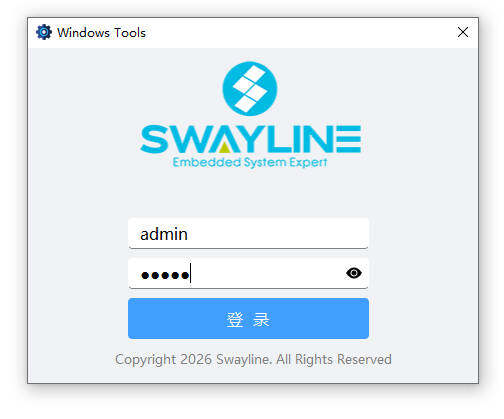
- Hidden Admin AccessAlt + F7 opens a hidden login; credentials unlock the management surface.
Three keystrokes. Full system recovery or rollback.
Boots a Linux-based recovery system from a hidden partition on the same drive; restore the device to factory state.
3–5 MINUTESSaves the current tuned state to a hidden partition; no password or external media needed.
NO PASSWORDRoll back to the most recent backup saved with Ctrl+B, in minutes.
RECOVERY IN MINAll three operations boot from a hidden Linux partition (labeled CTRL+F / CTRL+B/R) - so they work even when the Windows system volume is corrupted, and they have no dependency on network or external media.
The Windows that results
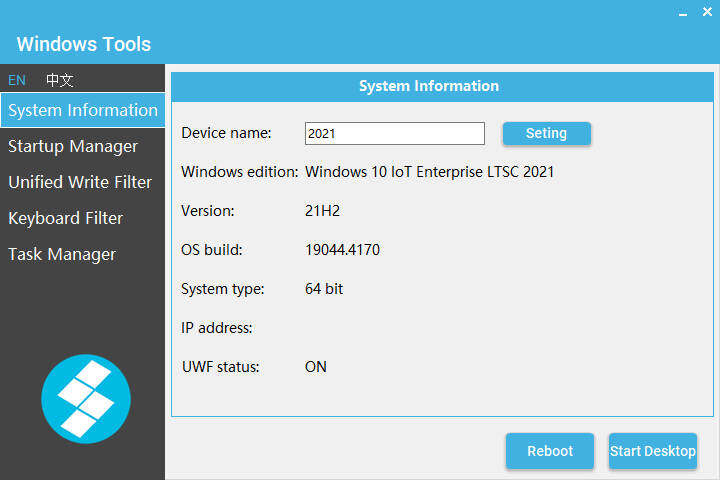
Every screenshot below is taken from a real Swayline-built image running in our integration lab on an 8 GB device. Click any thumbnail to view it full-screen with the engineering notes behind each number.
All measurements are from Swayline-built images in our integration lab · click any image to enlarge
x86 / Device-Industry Focus
Purpose-built for industrial device makers, not a one-size-fits-all solution.
20+ Years Engineering Depth
Two decades of OS-level expertise, not just surface-level tuning.
Fast Turnaround for Export
Efficient delivery and responsive support for global clients.
Up to 80% Fewer Failures
Measurable reliability improvement backed by engineering data.
Ready to make your devices reliable?
Tell us about your hardware and target Windows edition. We will reply with a technical proposal within 3 business days.